Saving 100 hours on my book with Cursor
Every time I write a book, I also write custom software to make writing and editing faster. Inference Engineering was the first time I had Cursor and frontier LLMs to help.
Throughout most of the writing process for Inference Engineering, I was frustrated by how little assistance AI tools provided. I used a lot of deep research for outlining and development, but I was writing about such a new and deeply technical topic that I wasn't getting much help.
While I had to write just about every word of Inference Engineering myself to avoid slop, I was able to use Cursor to accelerate the editing process, including appendix generation and proofreading.
Appendix A
Appendix A is the clearest example of the idea that when working with LLMs and long text files (tens of thousands of words), it is often better to have the LLM write a Python script to process the text and accomplish a task rather than trying to have the LLM do the work directly.
Alphabetize Appendix AWrite a Python script to alphabetize Appendix AAppendix A is a glossary of terms. I used a thinking model to extract terms and definitions from the book a chapter at a time and merge them into a single list, then took a full day of work to edit, fact check, update, expand, and otherwise unslop the appendix.
Once I had a draft of the appendix, I used Cursor again to alphabetize the terms and format the text. Then, I had it write a script that went term-by-term and made a separate call to an LLM to fact-check the definition. I manually reviewed all terms flagged for inaccuracy and wrote my own fixes where I felt that terms could be better defined.
While Appendix A still took ~10 hours of manual effort, it could have taken much longer if I had tried to do everything by hand.
Appendix B
Appendix B is a list of recommended reading. Cursor saved me a ton of work, again through a combination of prompts and scripts.
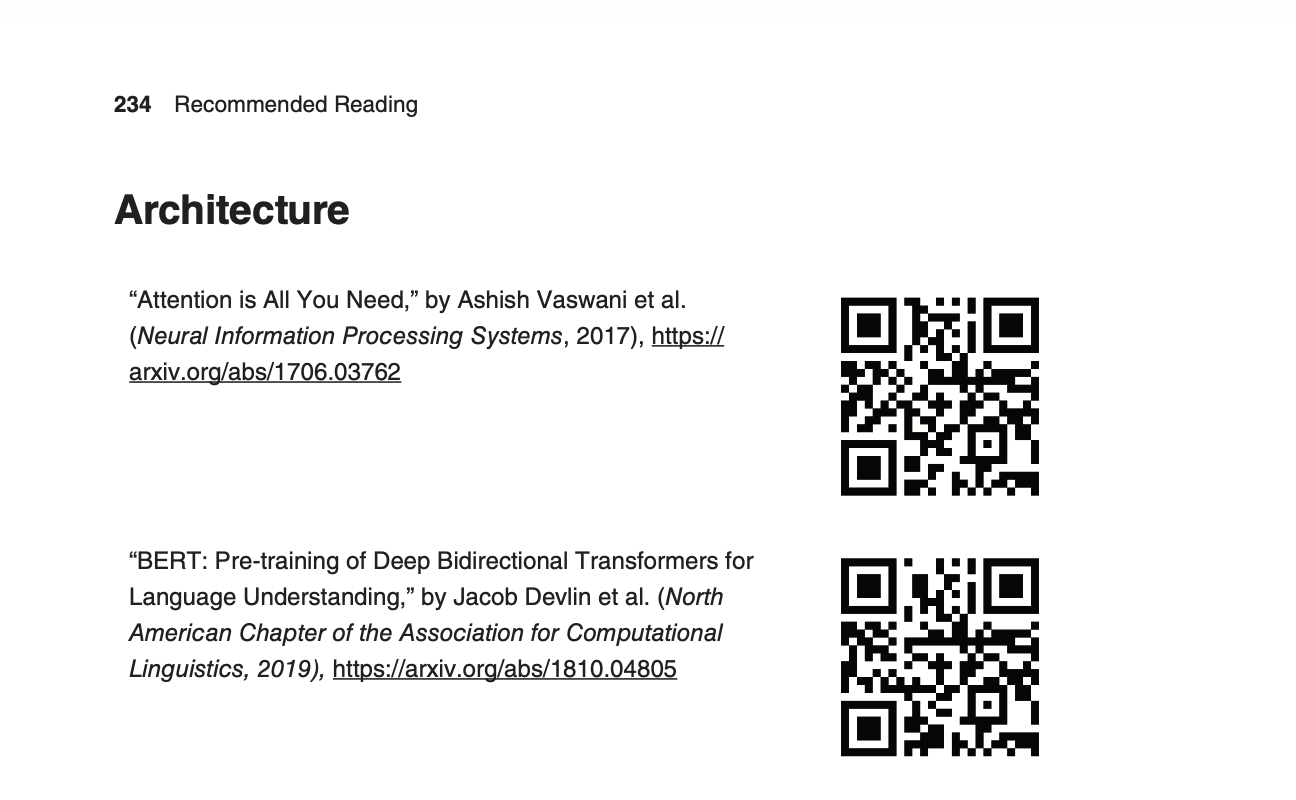
For each of the hundred-plus recommended papers and resources, I wanted to include a QR code in the book next to the citation-style reference. First, I used Cursor to write a Python script to parse each citation and generate a QR code image from the URL. Then, I used it to write a script that would take advantage of the table mechanism in Markdown to lay out the QR codes next to the references, then convert that document into a Microsoft Word document that I could pull back into Google Docs to insert into the main body of the book.
This was a bit of a convoluted process, but it turned many hours of tedious manual image generation, tagging, and layout into a quick script that I could re-run any time I wanted to make an update.
Proofreading
The third place that Cursor helped was with proofreading. While LLMs were not as good as I expected at catching errors, I was able to use Cursor to catch a few sneaky issues as well as standardize Table of Contents capitalization, figure numbering, and citation formatting. As with Appendix A, I used a mixture of direct prompting as well as prompting to create and execute custom Python scripts.